Journal & morning pages
The Journal keeps one entry for each day. You can come back to any entry later. Morning pages are different: you write three pages early in the day, close them, and do not read them again. Both count towards your writing streak, which is the number of days in a row that you have written.
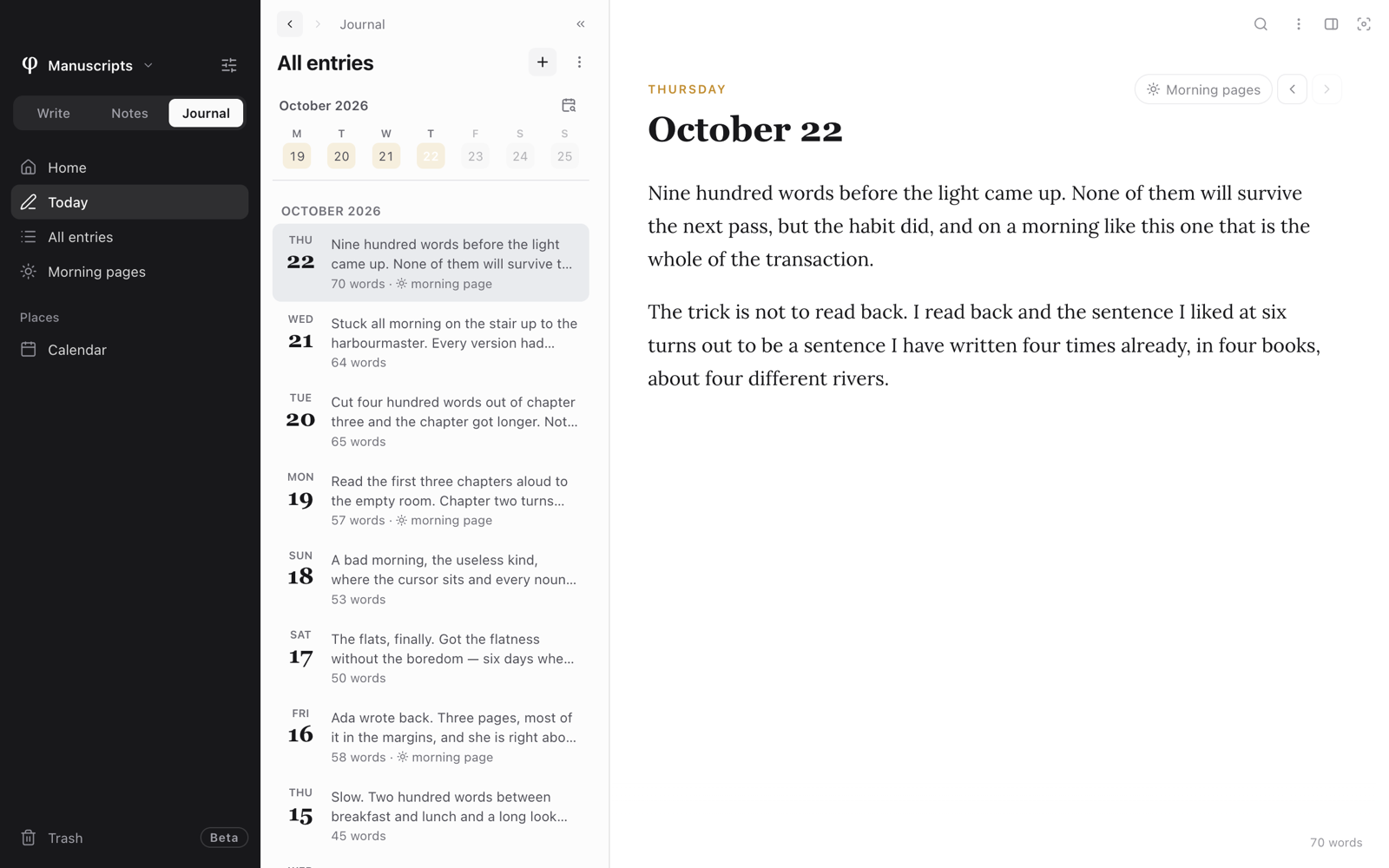
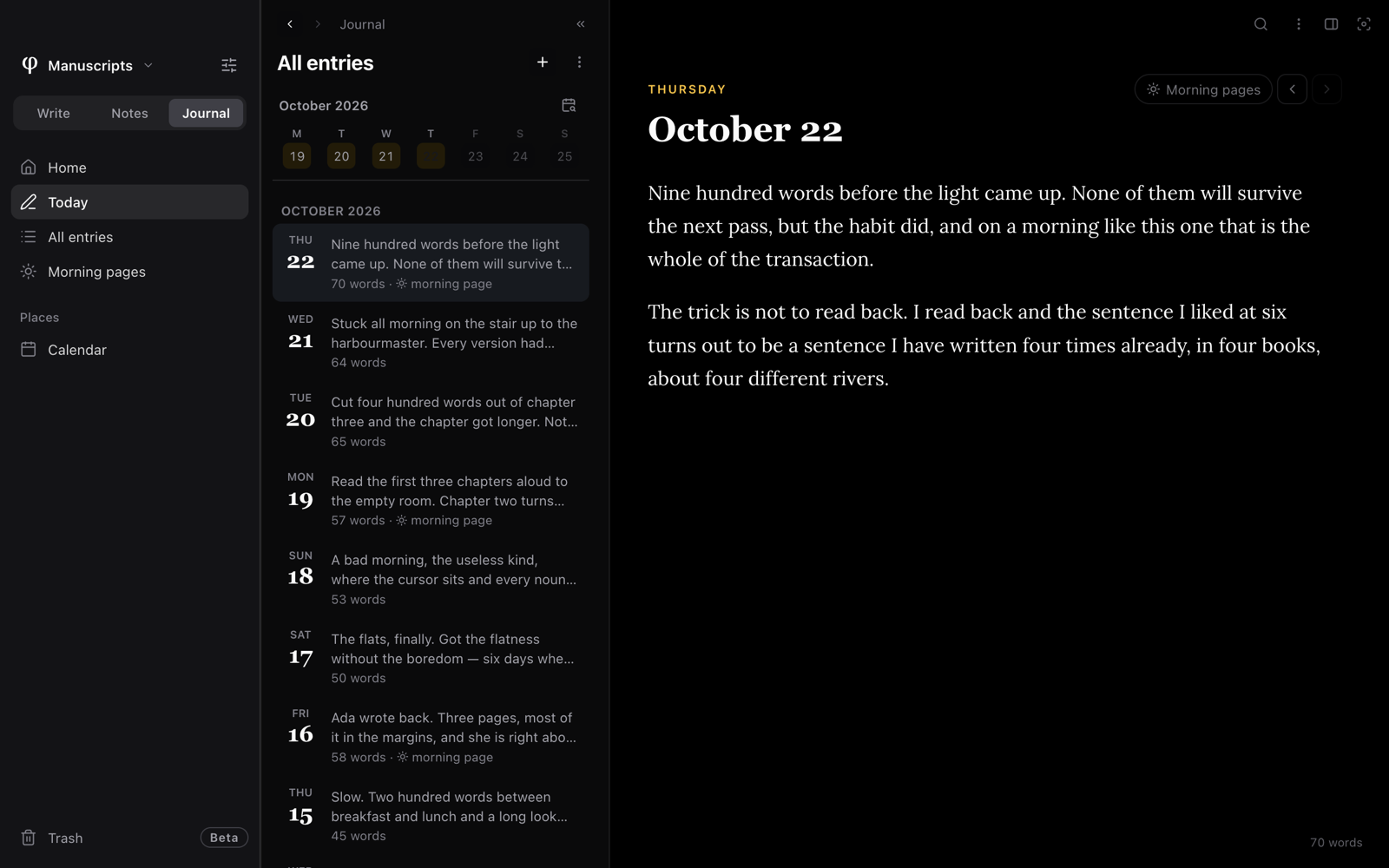
Write today's entry
- Choose Journal in the mode switch at the top of the sidebar. The
shortcut is
⌘3when the vault has all three modes. - Click Today. φ Poiesis opens today's entry. If there is no entry yet, Poiesis makes one.
- Write. The entry saves itself as you write.
- To also start today's morning pages, click Start morning pages beside the date.
There are three other ways to start today's entry:
- Click the Today card on the Journal's Home.
- Click + at the top of All entries (Write today).
- Press
⌘Pand choose New journal entry.
Find your way around the Journal
| In the sidebar | What it shows |
|---|---|
| Home | Today's entry, this week, the last few days, today's morning page and the month. It also shows Memories: what you wrote on this date in earlier years. See Memories & celebrations. |
| Today | Today's entry. |
| All entries | Every day you have written, newest first. This week is a row of days at the top. Open a day to read it, or stay on the list: it shows every day as one long page, and you can write in any day there. The month and year show above the week and between the months. To go to a particular day, click the calendar beside the month (Go to a day) and pick it: its entry opens, or, if you wrote nothing that day, the list moves to the nearest day before it. |
| Morning pages | Every morning pages session, with its pages and words. Choose All, In progress or Sealed (the ones you have finished) at the top of the list. |
| Calendar | Your writing across the months. See The calendar. |
At the top of an entry you see the weekday and the date. Beside them are:
- the morning pages chip for that day;
- Today, when you are on another day;
- arrows that go to the previous or next day you wrote.
Under the entry, Mentioned in lists the documents that contain this day's date or link to this day.
A journal entry is a document like any other. You can search it, link to it and export it. The Journal only groups entries by day.
Write on an earlier day
You can write on today or on any earlier day. You cannot write on a future day.
There are three ways to choose the day:
- Click a day in the row of days at the top of All entries.
- On the page that shows all your days, press Write on a day… and pick a date.
- In the calendar, select a day and press Write this day.
If you open a day and leave it without writing anything, Poiesis moves that empty entry to the trash.
Keep morning pages
Morning pages are a daily practice. You write three pages early in the day,
freely, and you do not read them again. Poiesis keeps this page empty on purpose.
It has no toolbar, no slash menu, no @ or [[ suggestions and no tags. You
see only the date and the page.
There are four ways to open today's morning pages:
- Click Start morning pages beside a journal entry.
- Click the Morning page card on the Journal's Home.
- Click + at the top of Morning pages.
- Press
⌘Pand choose Today's morning page.
Three pages
The goal is three pages. Poiesis counts three pages as 750 words.
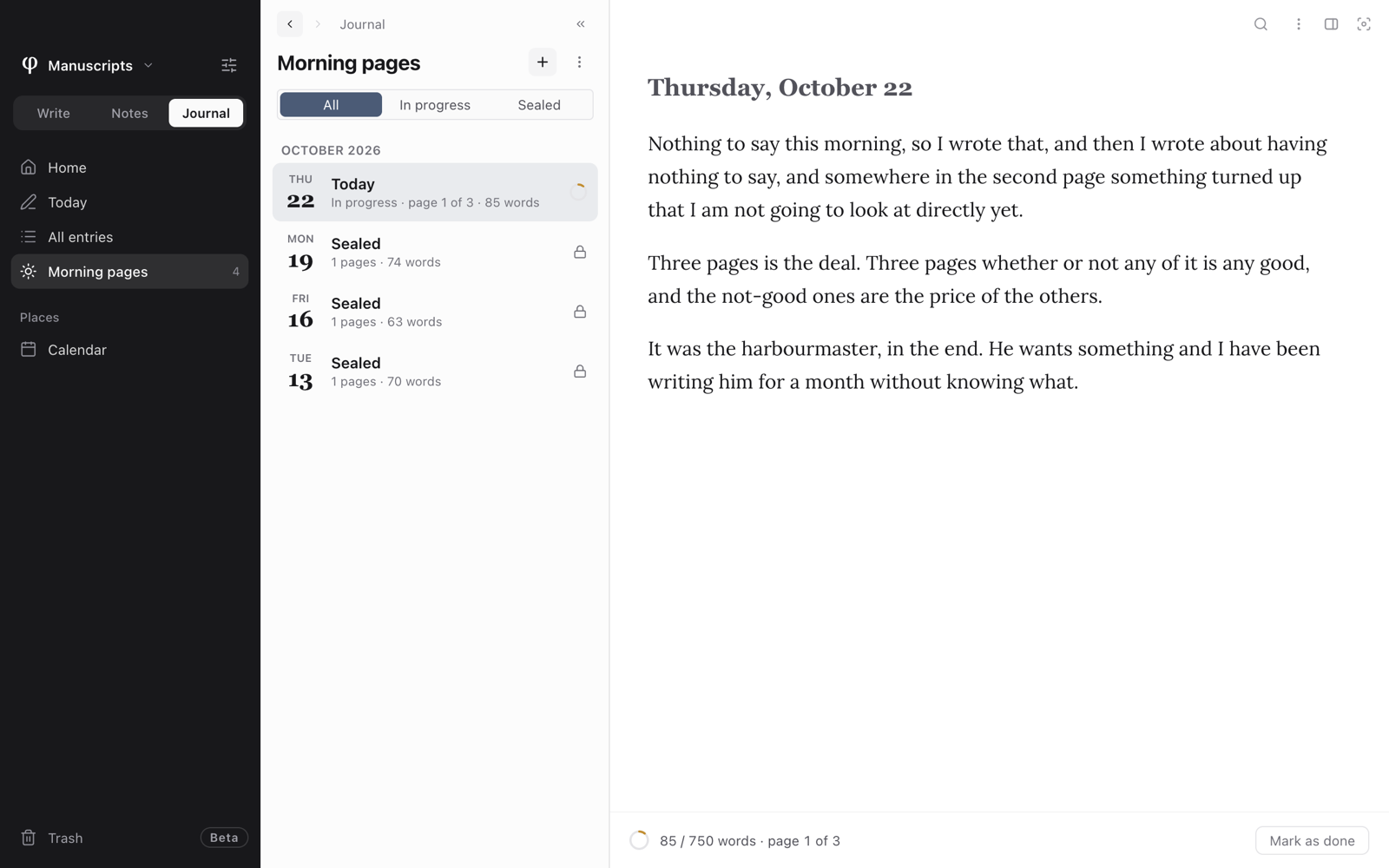
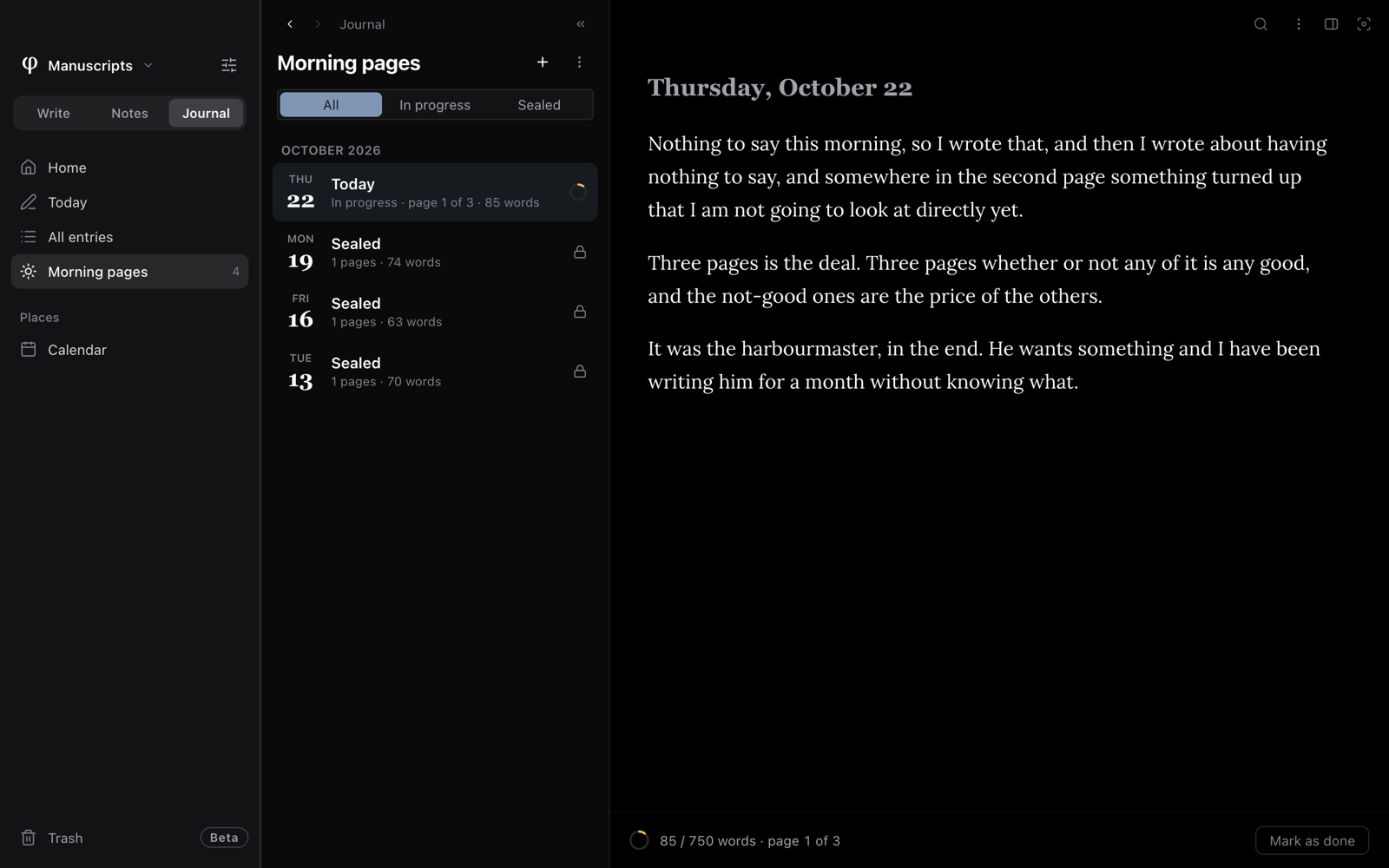
A line under the page shows your progress, for example "320 / 750 words · page 2 of 3". Beside it are a small ring and the Mark as done button. You can use the button when you reach 750 words. Before that, hover over the button to see how many words are left.
Seal the day
Sealing closes the day's pages so they open without showing your text.
- Press Mark as done to seal the pages when you reach 750 words.
- To seal them at any other time, open the document's ⋮ menu and choose Seal day.
When you open a sealed day, you see a short card, not your text. The card has two buttons:
- Read these pages shows the pages. You cannot edit them.
- Unseal to edit lets you write in them again. Poiesis asks you to confirm first.
Morning pages that you open from the calendar are always read-only.
The practice
- Open a morning page.
- Open the Info panel, the panel beside the page, with
⇧⌘I.
The panel has two tabs, The practice and History. The practice shows:
- today's pages and words;
- how many days in a row you have written morning pages;
- your longest run of days;
- the days this month;
- how many pages you have sealed.
Make a document into morning pages
- Right-click any document in a list.
- Choose Mark as morning pages.
To undo this, right-click the document and choose Unmark morning pages.
Morning pages do not appear in ⌘K or in the graph. If you do not want
morning pages at all, turn Morning pages off in Settings (⌘,) →
Setup → Modes → Journal.
Keep a writing streak
A streak is the number of days in a row on which you wrote at least a minimum number of words.
- Any writing counts: a journal entry, morning pages, a chapter, a note. Words count on the day you wrote them.
- The minimum is 50 words a day. To raise it, go to Settings → Editor → Writing streak → Minimum words / day.
- You have one extra day. If your streak ended yesterday, it is not broken yet. Write today and the streak continues.
You see your streak in four places:
- the Today card on the Home of Write;
- the Journal's Home;
- the calendar;
- The practice, beside a morning page.
To change how the streak looks, go to Settings → Setup → Streak:
| Choice | What you see |
|---|---|
| Flame and count | A flame on every day you wrote. On the calendar, the days of your current streak are joined together. |
| Plain days | The flames, but the current streak is not highlighted. |
| Off | No flames, and no streak on the Home of Write. |
A new vault starts on Plain days.
Weekly pace is in the same place. It is a softer goal: a number of days each week. Poiesis counts it over the last seven days, so one missed day never sets it back to zero.
See also
- The calendar: every day you wrote, and what belongs to it.
- Finding your way: the sidebar, the list and the Info panel.
- Versions & backup: the History tab.